How To Rip & Transcode Videos in VLC Player
There are a number of good, free video converters, why download even more software when you can already do it with VLC? Not only can VLC be used to convert video from one format to another, but it can also be used to rip disc-based media (video or music), live streams (television, cable, satellite) or network streams to file.
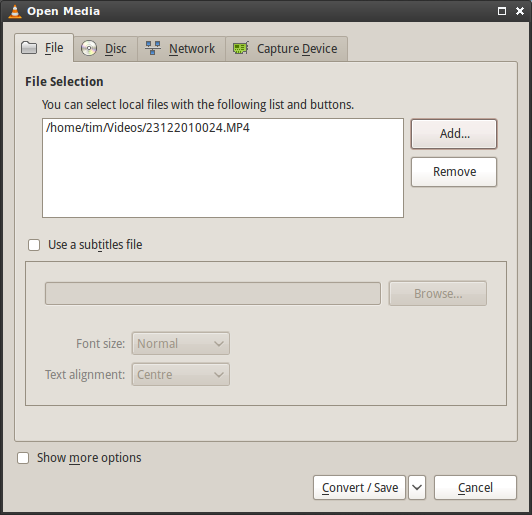
To get started open VLC and click Media then Convert/Save. You’ll be presented with a dialogue which allows you to choose between converting, ripping and saving to file. Once you’ve added source media (to record from) click Convert/Save.
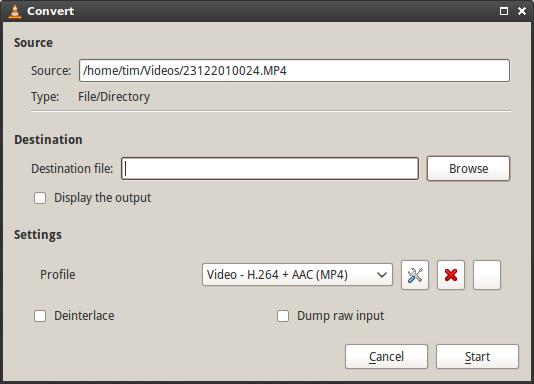
The next window allows you to choose encoding settings such as codecs and output location. Don’t forget to have patience, transcoding video is resource-intensive and can take a while (regardless of how much the software costs).
TKB:1063